Invoice From Your Phone — Easy Invoice Goes Anywhere monday.com Goes
Create, preview, and share professional invoices and quotes from your phone — Easy Invoice runs inside the monday.com mobile app, with the same boards and the same numbering as desktop.
Most monday.com apps are great until you leave your desk. Then the experience falls off a cliff — broken layouts, missing buttons, or just a “this feature is desktop only” screen.
Easy Invoice doesn’t do that. It runs as a full Custom Object view inside the monday.com mobile app, with the same boards, the same numbering, and the same shareable links as desktop. If you can open monday.com on your phone, you can quote and invoice from your phone.
Why this matters
Three groups of monday.com users get the biggest lift:
- On-site trades and field services — finish a job, walk to the van, send the invoice before you’ve started the engine.
- Consultants and agencies — wrap a client meeting and send the invoice from the lobby instead of waiting until tomorrow morning’s email queue.
- Founders running a small business out of monday.com — handle a quote at a conference, an airport, or the school pickup line.
The faster you get the invoice out, the faster you get paid. Xero’s Small Business Insights tracks how long small businesses wait to get paid by sector and region — and the consistent pattern is that invoices sent promptly after the work is completed get paid materially faster than those sent days later.
A tour of the mobile experience
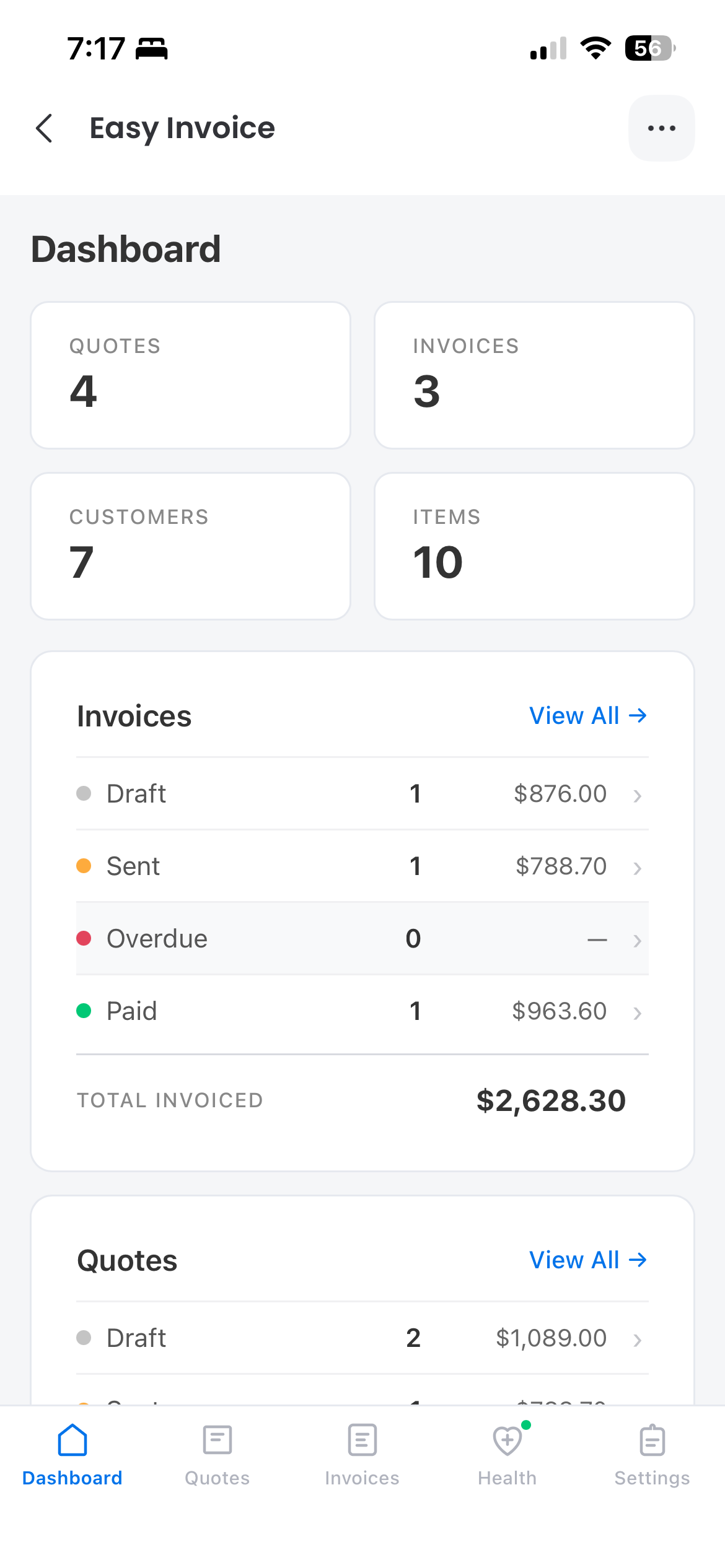
Counters for Quotes, Invoices, Customers, and Items at the top, then a status rollup (Draft / Sent / Overdue / Paid) — your whole invoicing workspace in one scroll. Tap any rollup to drill into the matching board.
What’s identical to desktop
- Same Quotes, Invoices, Customers, and Items boards — no separate mobile data.
- Same numbering sequence — invoice INV-0042 on desktop is INV-0042 on mobile.
- Same Settings — your company details, currency (18 supported), tax rate, and tax label (GST in NZ, VAT in UK, Tax in US, or whatever you set) all carry over.
- Same shareable link URLs — your customer’s experience doesn’t change.
What’s different on mobile
- Link-first, not PDF-first — local PDF download is the desktop flow; mobile leans on the public link so you don’t accumulate files on your phone.
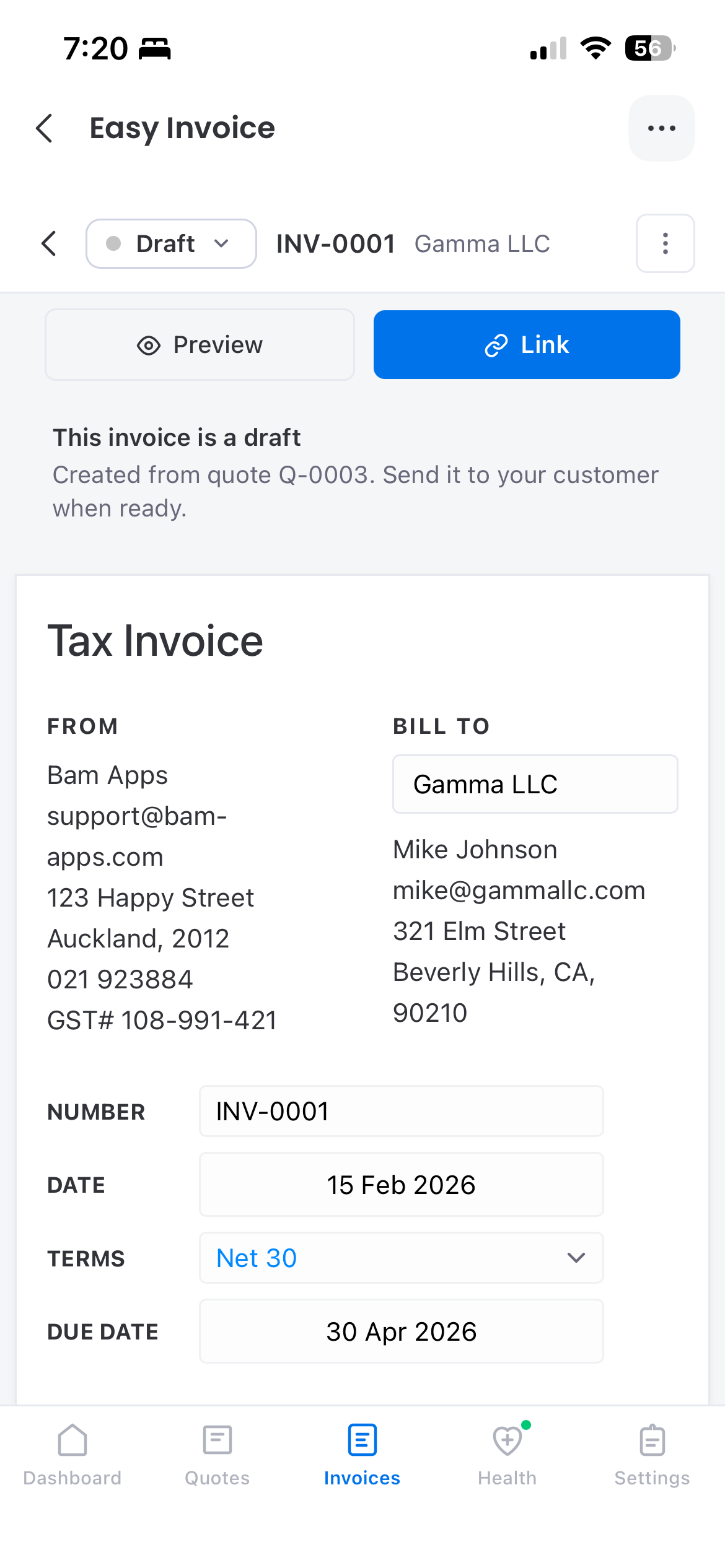
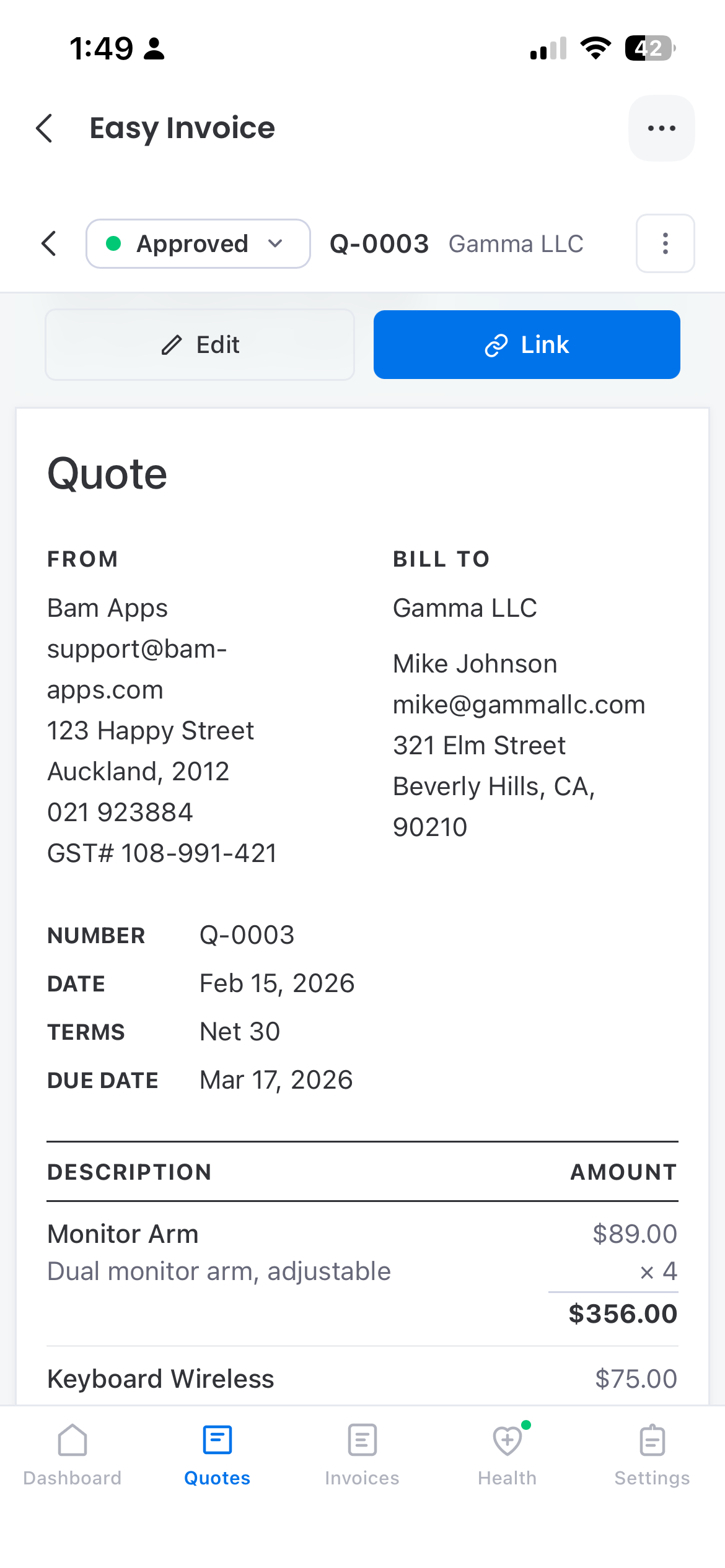
- Stacked layout — FROM/BILL TO and other side-by-side desktop sections stack vertically for thumb-readable scanning.
Try it
- Install Easy Invoice from the monday.com marketplace (if you haven’t already).
- Make sure the monday.com mobile app is installed and signed into the same workspace.
- Open the board with your Easy Invoice Custom Object view from your phone.
That’s it. You’ll be on the dashboard in under five seconds, and you can have a draft invoice ready in another twenty.
Related reading
Try Easy Invoice for monday.com
Get started in minutes — install directly from the monday.com marketplace.
Learn More