How to Schedule the Perfect Card Delivery Across Time Zones
Schedule Group Card delivery for the perfect moment — tips for timing across time zones, planning ahead, and choosing opening effects.
Set the delivery date and time, and Group Card handles the rest. The recipient gets a monday.com notification at the exact moment you choose — no manual sending, no forgotten follow-ups. Here is how to nail the timing, especially for remote teams spread across time zones.
How Scheduled Delivery Works
When you create a Group Card, you pick a delivery date and time during setup. On that date, the app automatically sends a monday.com notification to the recipient. When they open it, they see an opening effect — confetti, balloons, or sparkles — followed by all the personal messages from the team.
There is nothing to do on delivery day. The card sends itself.
Set Workspace Defaults Once
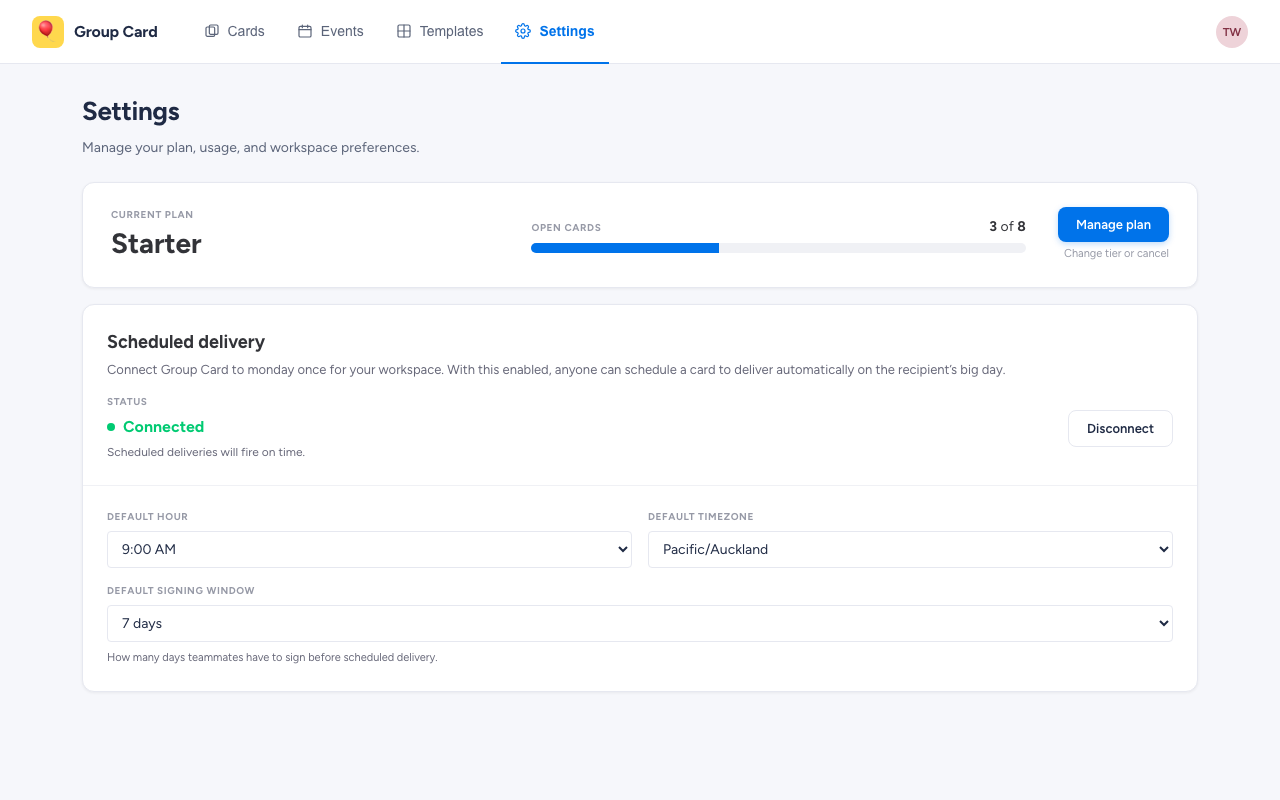
Every new card prefills from a workspace-wide default hour, timezone, and signing window. An admin sets these on the Settings tab in the top nav. Pick a sensible default — say 09:00, Australia/Sydney, 7-day signing window — and most cards will be one-click correct from the wizard. Per-card overrides are still right there if a particular recipient needs a different time. See Workspace settings for where to set them.
Choosing the Right Time for Remote Teams
For distributed teams, timing matters more than you might think. A 2023 Buffer State of Remote Work report found that 98% of remote workers want to continue working remotely — which means more teams are navigating time zone differences every day.
Target the Recipient’s Workday Start
The best delivery time is the start of the recipient’s local workday. If they are in London and start at 9:00 AM GMT, schedule for 9:00 AM GMT — even if your team is in San Francisco and it is 1:00 AM there. The card arrives when the recipient is fresh, checking notifications, and ready to be surprised.
Avoid End-of-Day Delivery
A card that arrives at 5:00 PM is easy to miss. The recipient may already be wrapping up, closing tabs, and mentally checked out. Morning delivery ensures the card gets the attention it deserves.
When in Doubt, Pick Mid-Morning
If you do not know the recipient’s exact schedule, 10:00 AM in their local time zone is a safe default. They have settled into their day, checked initial messages, and are in a good headspace to appreciate the surprise.
Planning Your Timeline
One Week Before: Create the Card
Give contributors enough time to write thoughtful messages. Creating the card a week before the delivery date is the sweet spot — long enough for everyone to participate, short enough that it stays top of mind.
Five Days Before: Send Invitations
Invite monday.com workspace members via the Invite panel on the card detail page — each contributor gets a bell notification with a link straight to the signing composer. According to a 2024 Asana study, 60% of knowledge workers’ time is spent on “work about work” — coordinating, reminding, following up. Starting early reduces last-minute chasing.
Two Days Before: Send Nudge Reminders
Open the organizer dashboard and nudge anyone who has not signed yet. One click sends a reminder — no individual follow-ups needed. Most stragglers sign within 24 hours of a nudge.
Delivery Day: Let It Send
The card delivers automatically. Check the organizer dashboard if you want to confirm it went out, but there is nothing you need to do.
Choosing an Opening Effect
Group Card offers three opening effects that play when the recipient opens their card:
- Confetti — colorful, energetic, the classic celebration
- Balloons — light and cheerful, great for birthdays and welcomes
- Sparkles — elegant and understated, ideal for anniversaries and thank-you cards
Match the effect to the occasion and the recipient’s personality. The visual surprise is what transforms a notification into a moment.
What Happens on Delivery Day
Here is the sequence from the recipient’s perspective:
- They receive a monday.com notification with a message about their card
- They click to open the card
- The opening effect plays — confetti, balloons, or sparkles fill the screen
- They scroll through personal messages from everyone who signed
- They can revisit the card anytime from their monday.com workspace
The experience is designed to feel personal and celebratory, even through a screen.
Get Started
Your next team celebration is the perfect time to try scheduled delivery. Create your first Group Card, set the delivery date a week out, invite your team, and let the app handle the rest.
Try Group Card for monday.com
Get started in minutes — install directly from the monday.com marketplace.
Learn More