Group Card delivery has two modes — automatic at the scheduled date, or manual via the Deliver Now button. This article covers both, plus what the recipient experiences when they open their card.
Scheduled delivery
When you create a card, you set a delivery date and time. Group Card holds onto the card until that moment, then delivers it automatically. There’s nothing for you to do on delivery day.
The card moves through three statuses:
| Status | Meaning |
|---|---|
| Collecting | The card is open for signatures. |
| Scheduled | All preparation is done; waiting for the delivery date to arrive. |
| Delivered | Sent to the recipient. They’ve been notified and can open it. |
You can change the delivery date at any time before delivery from the Settings tab on the card detail page.
Workspace defaults
Every new card prefills its delivery date and time from a workspace-wide default. Admins set this on the Settings tab in the top nav — default delivery hour, default timezone, and the default signing window. Setting sensible defaults once means most cards just need a recipient and a template; the timing takes care of itself. See Workspace settings.
Scheduled delivery itself needs a one-time OAuth grant from a workspace admin. Until it’s connected, scheduled cards stay in the Scheduled state but won’t fire automatically — you’ll still need to use Deliver Now. The same Settings tab is where that connection lives.
Manual delivery — Deliver Now
If the moment is right and you don’t want to wait for the scheduled date, open the card’s Settings tab and click Deliver Now. A confirmation dialog appears so you can’t trigger it accidentally:
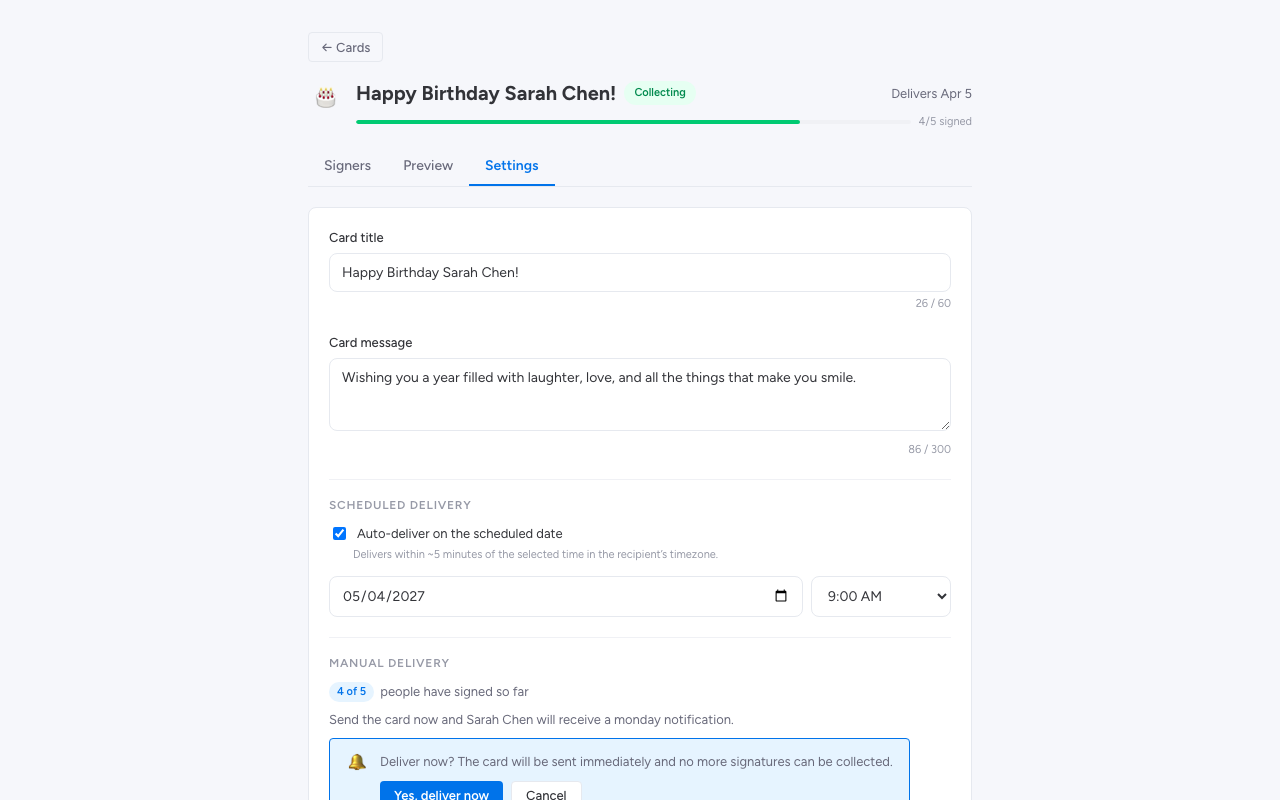
Confirm and the card delivers immediately. The recipient gets their notification within seconds.
Deliver Now is irreversible. Once a card is delivered, you can’t pull it back. Make sure everyone who needs to sign has signed before you click.
What the recipient sees
The recipient gets a monday.com bell notification when the card is delivered. Clicking the notification (or opening Group Card and switching to the Delivered tab) takes them to the card.
They first see the closed card cover — the template artwork with their name and the cover message. When they click the card, the opening animation plays — the card flips open, the chosen opening effect (confetti, balloons, or none) fires, and the inside of the card appears with every message from the team:
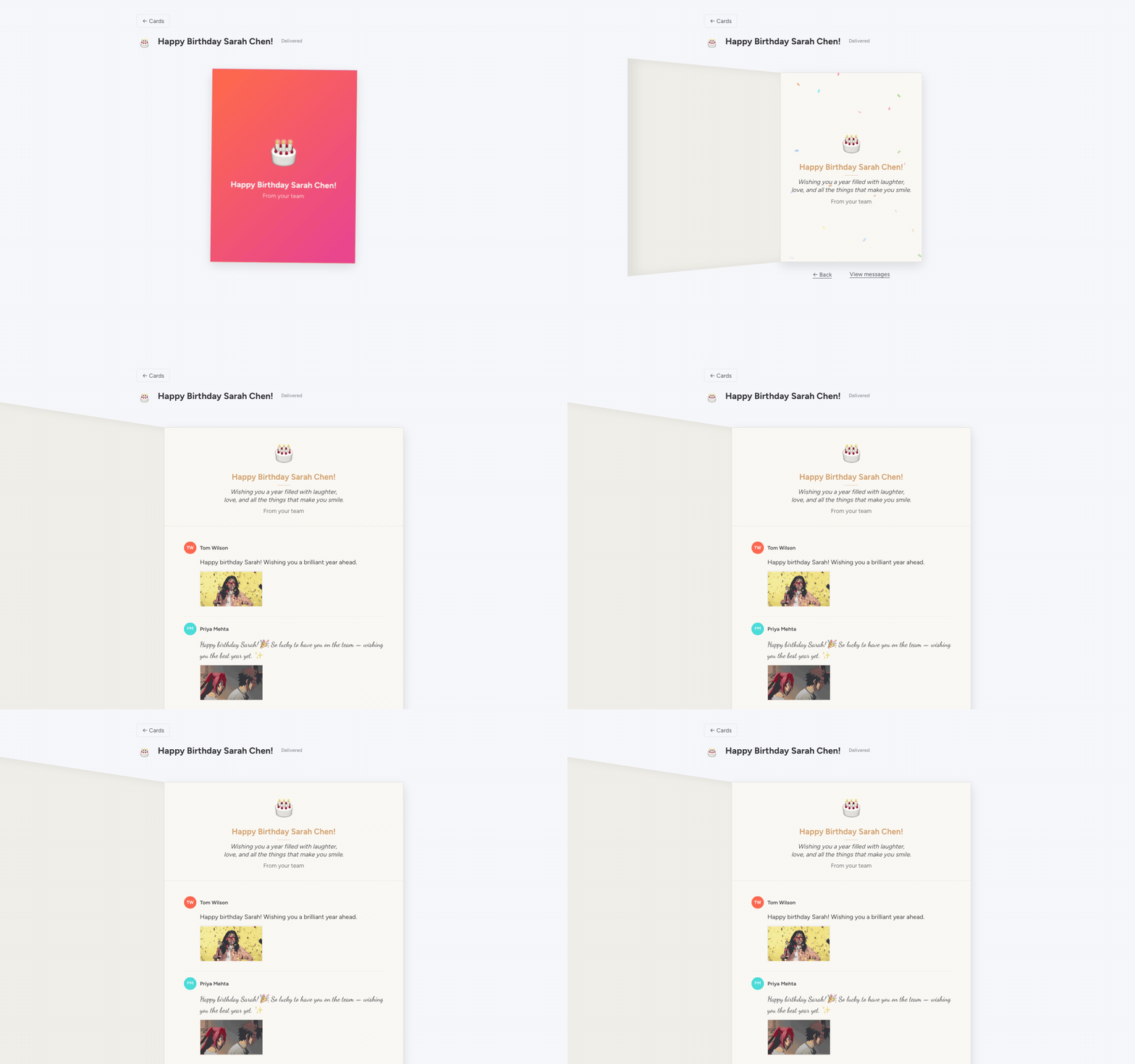
Each message shows the contributor’s name, their text in their chosen font and colour, and any GIF they attached. The recipient can scroll through every message at their own pace.
Revisiting the card
The recipient can open their delivered card any time after delivery from their Group Card view — it stays in the Delivered tab. They can re-trigger the opening animation by clicking the card cover again.
Notifications on delivery day
When delivery happens, monday.com notifies the recipient via the standard bell notification. The card title becomes the notification text — for example, “Happy Birthday Sarah Chen! From your team”.
If you (the organizer) want a copy of the moment, the card stays in your Delivered tab as well — a permanent record of the celebration.